


Game Guides
The Best Browser Games: 18 Free Picks You Can Play Right Now

The fastest launcher in gaming is the tab you already have open. The best browser games load in seconds, skip the install and the account, and run as happily on a school Chromebook as on a gaming PC. The catch is finding them. Thousands of free games sit one click away, and plenty are thin clones or ad traps. We sorted through the pile and kept 18 that still pull you back after the novelty fades, from one-button drift runs to full multiplayer shooters, grouped by the mood you're in.
Play these right now
Every game here runs free in your browser — no download, no account.
-

Geometry Dash
3.7Geometry Dash is an electrifying rhythm-based platformer game developed by Robert Topala that challenges your reflexes and coordination.
-
Drift Boss
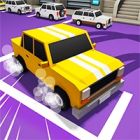
4.4Drift Boss is a fast-paced drifting game where you control a car, tuck, ambulance or bus on an angled track to drive as far as possible.
-

Bloons Tower Defense 4 is a popular tower defense game in which players defend their territory against waves of colorful balloons.
-

Shell Shockers
4.3Shell Shockers is a popular online multiplayer first-person shooter game developed by Blue Wizard Digital.
-
-

Slither.io
3.8Slither.io is a popular online game where players control a colorful snake to collect pellets and grow in size while avoiding collisions with other…


Quick Answer
The best browser games right now are:
- Geometry Dash for reflexes
- Bloons Tower Defense 4 for strategy
- Shell Shockers for multiplayer shooting
- 2048 for a quick puzzle
- Slither.io for instant online chaos
How to Spot a Good Browser Game in 10 Seconds
You can usually tell within the first ten seconds whether a browser game deserves your time.
- Count to your first input. If you're steering, jumping or clicking within ten seconds, that's a good sign.
- Watch the loading bar. A long one usually means a heavy engine is downloading, and that wait tends to come back.
- Look for a clear goal. The best games explain themselves in one screen, without a wall of tutorial text.
- Check the restart. Great browser games put you back in the action a second after you fail.
- Walk away from installers. If a page asks you to download a file, it's no longer a browser game.
Best Quick Reflex Browser Games
These fun browser games are built for a two-minute gap: one or two buttons, instant restarts and runs that end fast enough to squeeze in one more.
1. Geometry Dash - Best for Reflexes
- Genre: Rhythm platformer
- Players: Solo
- Controls: Up arrow or W to jump
- Pros: Instant restarts, levels synced tightly to the music, one input that anyone can learn
- Cons: Brutal difficulty spikes, and replaying one section dozens of times won't suit everyone
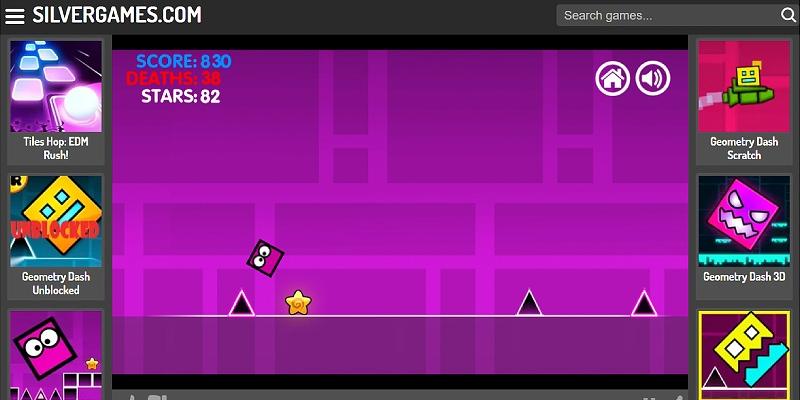
Geometry Dash, created by Robert Topala, boils the whole game down to a single input: jump in time with the music while your square races through spikes, saws and gravity flips. Memorizing a section and finally clearing it is the entire hook. It tops our list because it has the shortest gap between failing and trying again, and a crash costs you only a few seconds.
2. Drift Boss - Best Quick Pick-Up
- Genre: One-button driving
- Players: Solo
- Controls: Click, tap or hold Space to drift
- Pros: Playable with one thumb, runs that last seconds, new vehicles to collect
- Cons: Little variety once you've seen the tracks, and a high score is the only goal
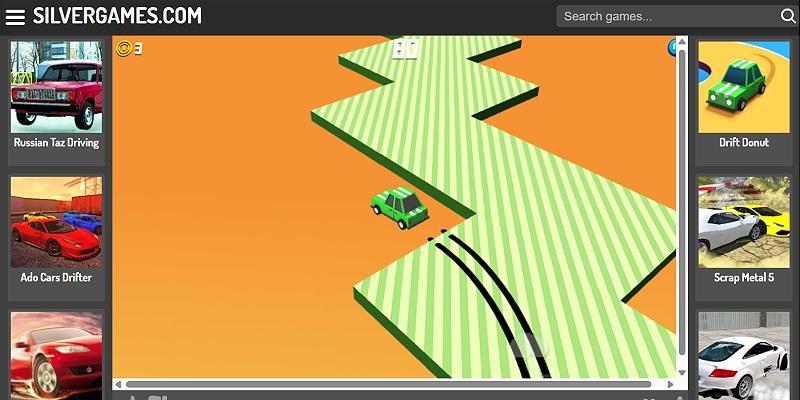
In Drift Boss, your car knows two moves. Holding the button swings it one way, letting go sends it the other, and the zigzag track does the rest. Coins you pick up along the way go toward new rides, from trucks to an ambulance and a bus. Falling off the edge is almost always your own fault, which makes it the most motivating kind of failure. It's the best game here for a queue or a waiting room.
3. Moto X3M - Best Stunt Racer
- Genre: Physics-based bike racing
- Players: Solo
- Controls: Arrow keys
- Pros: Short handcrafted levels, flips that shave time off your run, star ratings that reward replays
- Cons: Some later levels lean on trial and error
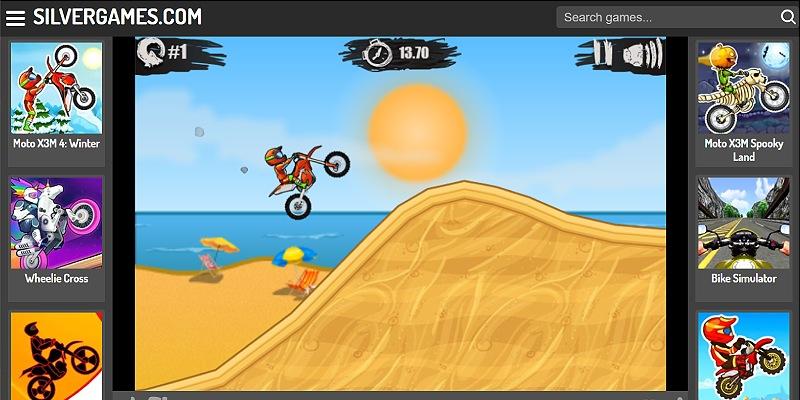
Moto X3M, developed by MadPuffers, is one of the best-loved browser racing games. It sends a dirt bike through obstacle courses packed with loops, explosive barrels, spinning saws and collapsing platforms. Every level is a short sprint against the clock, and pulling off flips in midair trims your time, so each course doubles as a stunt puzzle. The series has grown into several sequels, but the original is still the best place to start.
4. Tetris - Best Classic
- Genre: Falling-block puzzle
- Players: Solo
- Controls: Arrow keys or touch
- Pros: Instantly familiar, speed that ramps up naturally, great on any device
- Cons: No surprises if you've played it before
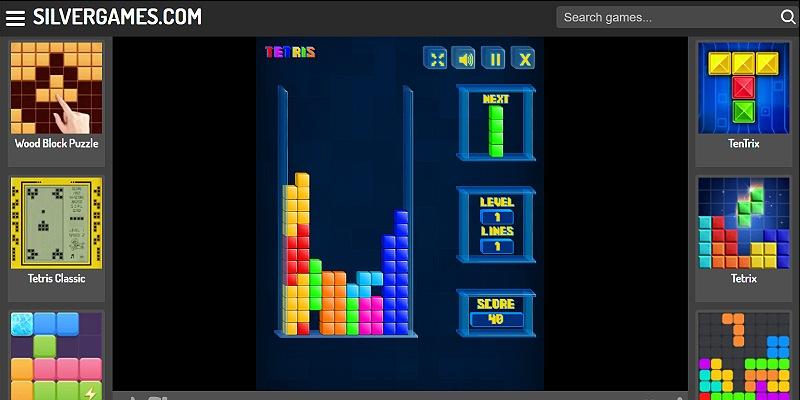
Tetris first appeared in 1984, and it still works perfectly in a browser tab. You rotate and drop falling Tetriminos to complete horizontal lines, and the pieces fall faster the longer you survive. It loads instantly and needs no explanation. Few games make a better five-minute break, and even fewer have stayed this sharp for four decades.
Best Puzzle and Word Browser Games
For players who'd rather think than twitch, these four browser puzzle games reward patience and logic over fast fingers. If one of them sticks, there are many more puzzle games in the same vein.
5. Bloxorz - Best Logic Puzzle
- Genre: 3D block-rolling puzzle
- Players: Solo
- Controls: Arrow keys
- Pros: Rules that fit in one sentence, switches and bridges that keep adding new twists, no time pressure
- Cons: Later levels can stall you for a long time
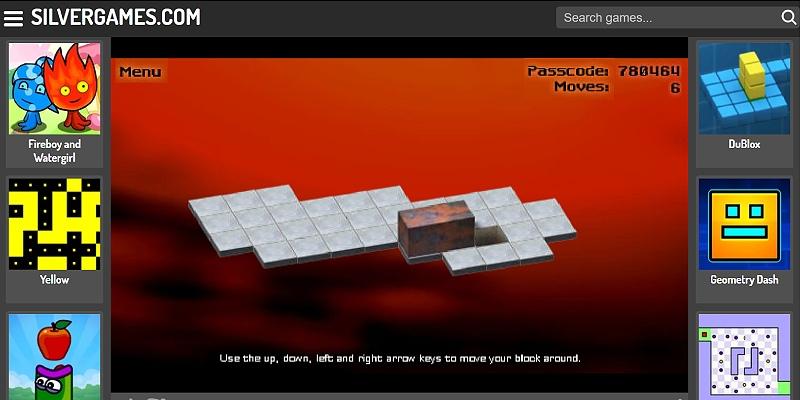
Bloxorz has you rolling a rectangular block across a floating tiled platform and dropping it upright into a square hole. That sounds simple, but the block covers two tiles when it lies flat, so every roll changes its shape and position. Later stages add switches, bridges and fragile orange tiles that give way if the block stands upright on them. It's a Flash-era original that has outlived the plugin it was built on, and it suits anyone who likes their brain teasers quiet and self-contained.
6. 2048 - Best Number Puzzle
- Genre: Sliding-tile number puzzle
- Players: Solo
- Controls: Arrow keys, mouse or touch
- Pros: Easy to learn, one round fits a coffee break, play continues past the 2048 tile
- Cons: Unlucky tile spawns can sink a good run
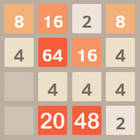
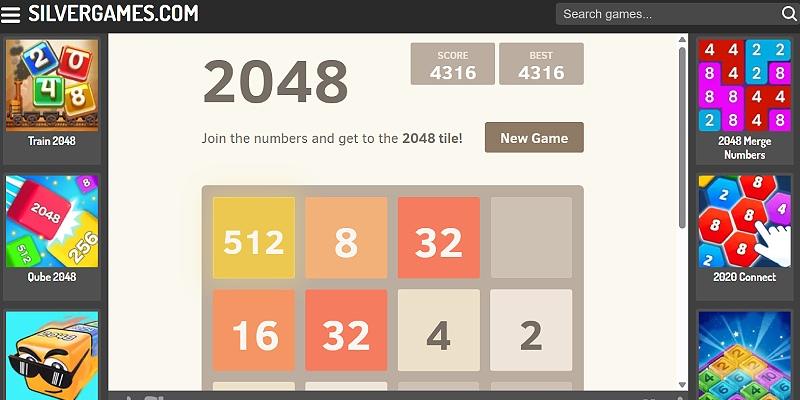
Gabriele Cirulli's 2048 puts numbered tiles on a 4x4 grid. Every swipe slides the whole board, matching tiles merge into one, and a new tile appears in an empty space. The goal is to build a 2048 tile, but you can keep going after that to chase a bigger score. Keeping your highest tile pinned in one corner is the classic strategy.
7. Wordle - Best Word Game
- Genre: Word guessing
- Players: Solo
- Controls: Keyboard, mouse or touch
- Pros: A round takes a few minutes, color clues keep it fair, good for building vocabulary
- Cons: Little variety beyond the core guessing loop
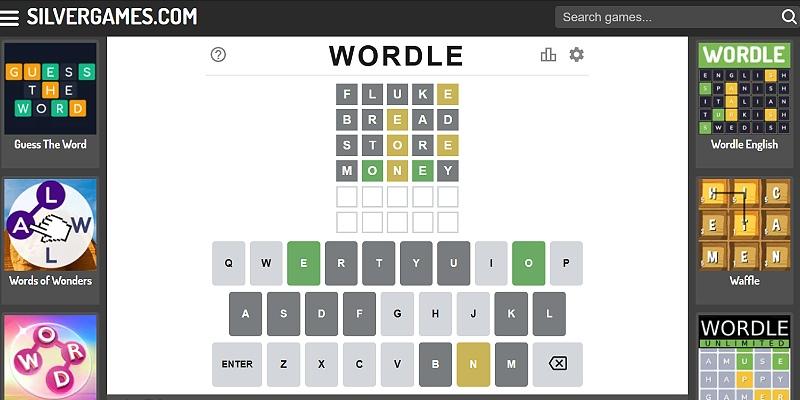
Wordle gives you six tries to guess a five-letter word. After each guess, the letters change color to show whether they're in the word and whether they're in the right spot, so every round is a small exercise in deduction. Josh Wardle's original became a daily ritual for millions of players and was bought by The New York Times in 2022.
8. The Impossible Quiz - Best for a Laugh
- Genre: Trick-question quiz
- Players: Solo
- Controls: Mouse or touch
- Pros: Genuinely funny, rewards lateral thinking, short questions keep the pace up
- Cons: Losing your last life sends you back to the start, and it's one-note once you know the answers
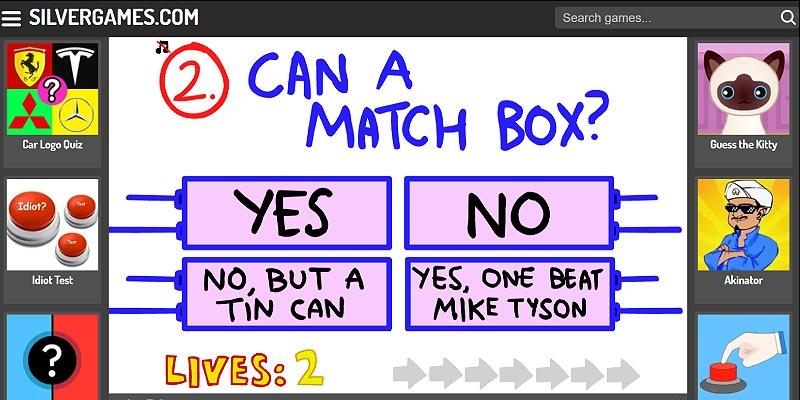
Splapp-Me-Do's The Impossible Quiz, first released in 2007, lives up to its name by punishing the obvious answer. Its questions are packed with puns, trick wording and timed bombs, and running out of lives sends you right back to question one. It's the most one-note entry here, but as a quick laugh it's hard to beat.
Best Strategy and Idle Browser Games
These two give a short browser session longer-term goals, with upgrades, unlocks and progress that keeps building between visits.
9. Bloons Tower Defense 4 - Best Strategy Game
- Genre: Tower defense
- Players: Solo
- Controls: Mouse
- Pros: Upgrade paths with real depth, several difficulty settings, a cheerful look that suits all ages
- Cons: Long rounds on harder settings, and late waves demand a precise layout
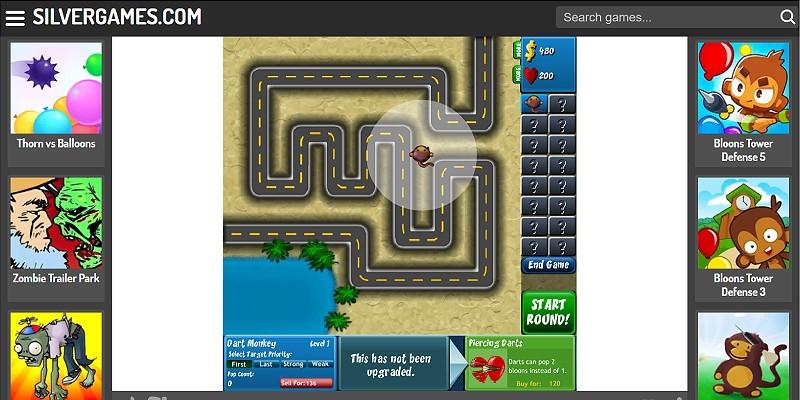
Ninja Kiwi's Bloons Tower Defense 4 has you placing dart monkeys, bomb towers and other defenders along a track to pop waves of balloons before they slip through. Camo and lead balloons force you to mix your towers, so a layout that worked early can fall apart later. Its upgrade paths give it more depth than the cartoon look suggests, and it's the strongest strategy pick on this list.
10. Cookie Clicker - Best Idle Game
- Genre: Incremental clicker
- Players: Solo
- Controls: Mouse or touch
- Pros: Satisfying from the first click, a deep pile of upgrades and achievements, runs happily in a background tab
- Cons: A serious time sink, and slow by design if you want action
Julien Thiennot, better known as Orteil, released Cookie Clicker in 2013, and it helped turn idle games into a genre of their own. You click a giant cookie, spend the cookies on cursors, grandmas and farms, and watch production climb into absurd numbers. Upgrades, achievements and golden cookies always give you something to chase, which is why it still sets the bar for idle browser games.
Best Multiplayer and .io Browser Games
Quick matchmaking and no sign-up make these multiplayer browser games the ones to open when you want company. Most of them belong to the .io games family, named after the web domain many of them launched on, and all but Paper.io 2 pit you against real players.
11. Shell Shockers - Best Multiplayer Shooter
- Genre: First-person shooter
- Players: Online multiplayer
- Controls: WASD to move, mouse to aim and shoot, Space to jump, E to switch weapons
- Pros: A light, silly tone, quick drop-in matches, several modes including Captula the Spatula
- Cons: Practiced regulars can dominate public lobbies
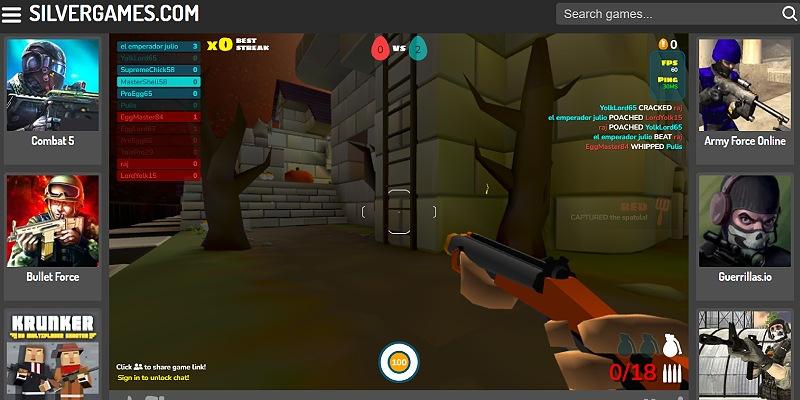
Blue Wizard Digital's Shell Shockers is a first-person shooter where every soldier is an egg, so the tone stays light even when matches get tense. Free For All, Teams and Captula the Spatula all play out on compact maps, and each egg class carries a different weapon. Anyone can drop in and be playing within seconds, while skilled players rack up the eliminations. Expect to lose a few rounds before you find your feet.
12. Krunker - Best for Competitive FPS Fans
- Genre: Arena first-person shooter
- Players: Online multiplayer
- Controls: WASD to move, mouse to aim and shoot, Space to jump
- Pros: Fast movement with a high skill ceiling, lots of classes and maps, low hardware demands
- Cons: A steep learning curve for newcomers
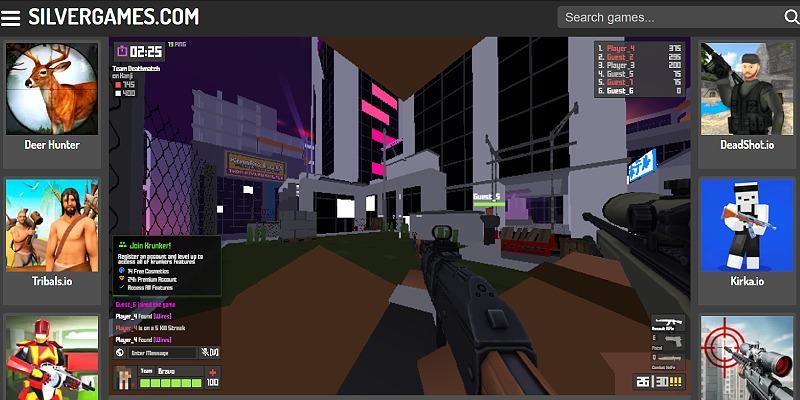
Sidney de Vries' Krunker plays like an old-school arena shooter squeezed into a tab. Its blocky look keeps it running smoothly on modest laptops, while movement tricks like slide hopping give skilled players plenty to master. Classes are built around weapons ranging from assault rifles to sniper rifles and rocket launchers, and leveling up unlocks new gear and skins. If you want one of the few FPS browser games with real competitive depth, start here.
13. Agar.io - Best .io Classic
- Genre: Cell-eating arena
- Players: Online multiplayer
- Controls: Mouse to move, Space to split, W to eject mass
- Pros: Takes seconds to learn, splitting and ejecting add real tactics, several game modes
- Cons: Big players snowball quickly, and there's little progression between rounds
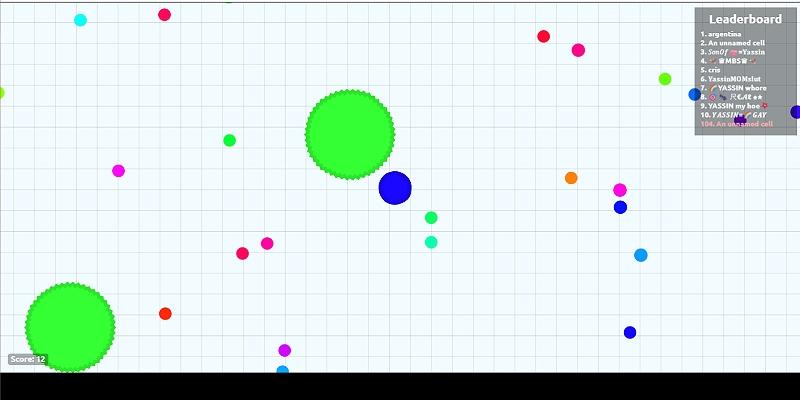
Matheus Valadares' Agar.io kicked off the .io craze in 2015. You steer a small cell around a huge arena, eat pellets and smaller players to grow, and avoid anything bigger than you. Splitting lets you lunge at prey but leaves you exposed, and the bigger you get, the slower you move. Green spiked viruses add one more hazard, since they break large cells into pieces.
14. Slither.io - Best for Instant Online Chaos

- Genre: Snake arena
- Players: Online multiplayer
- Controls: Mouse or touch to steer, click to boost
- Pros: Works on any device, quick sessions, trapping a bigger snake feels fantastic
- Cons: One mistake ends your run, and there's little depth beyond the core loop
Slither.io takes the old Snake formula online. You guide a snake around a crowded arena, eat glowing pellets to grow and try to make other players crash into your body. Boosting burns length but lets you cut someone off, and when a big snake goes down it leaves a feast behind. A run can swing from tiny to enormous in minutes, which is what keeps people coming back.
15. Paper.io 2 - Best Territory Game

- Genre: Territory capture
- Players: Solo, against computer-controlled rivals
- Controls: Mouse, touch or arrow keys
- Pros: Simple rules with real tension, smooth on phones, short rounds
- Cons: Repetitive over long sessions
Paper.io 2 is a pure risk-and-reward loop. You leave your colored base to draw a trail, then close the loop to claim everything inside it. While your trail is out, any rival who crosses it knocks you out, so every land grab is a gamble. The sequel's smoother, curved movement makes it feel better on touch screens than the original's grid.
16. Smash Karts - Best Party Game
- Genre: Kart battle
- Players: Online multiplayer
- Controls: WASD to drive, Space to fire
- Pros: Three-minute matches, weapon boxes that keep things chaotic, private games for friends
- Cons: Random pickups can decide close matches
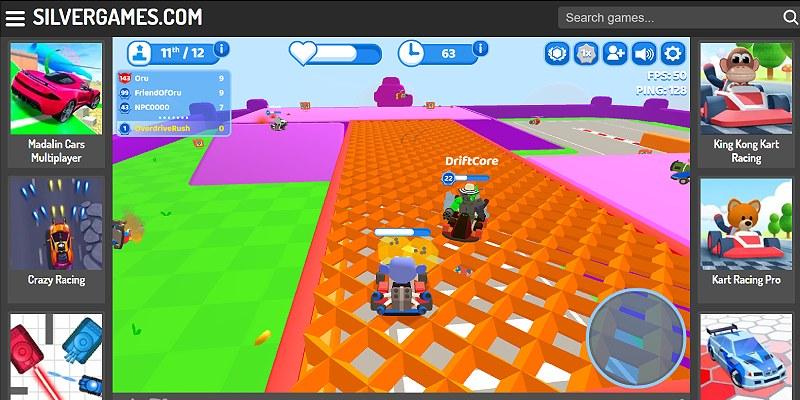
Smash Karts is a 3D kart battle game where the goal is to blow up everyone else. Matches last three minutes, and driving over question-mark boxes hands you missiles, machine guns, mines or power-ups like invincibility. Playing public games earns XP that unlocks hats, wheels and new characters, and private games make it one of the easiest browser games to play with friends.
Best Board and Rhythm Browser Games
These two bring something different to a browser tab: a board game that never gets old and a rhythm game that made its name online.
17. Chess Online - Best Board Game
- Genre: Classic chess
- Players: Solo or with a friend, depending on the version
- Controls: Mouse or touch
- Pros: Endless depth, works for short or long sessions, nothing to set up
- Cons: Slow-paced if you want action
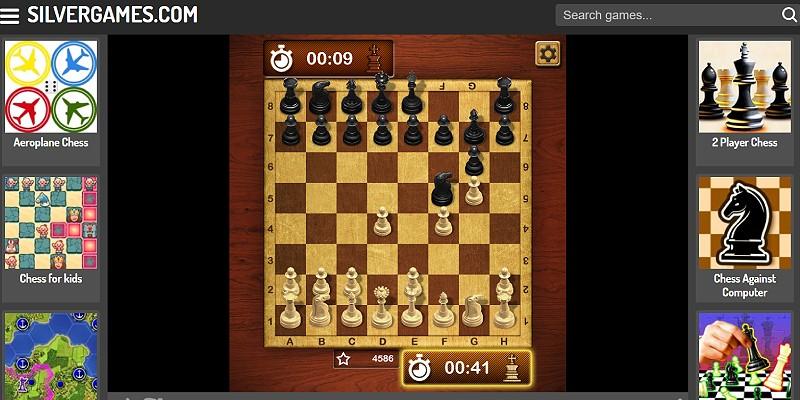
Chess suits a browser well, with no board to set up and no pieces to lose. Each side commands 16 pieces on a 64-square board, and the goal is to checkmate the opposing king. Chess Online is ideal for a slower lunch break, and the wider set of chess games includes versions built for playing a friend at the same screen or practicing against the computer.
18. Friday Night Funkin' - Best Rhythm Game
- Genre: Rhythm battle
- Players: Solo
- Controls: Arrow keys
- Pros: A catchy original soundtrack, charming art, a huge modding scene
- Cons: Higher difficulties demand very precise timing
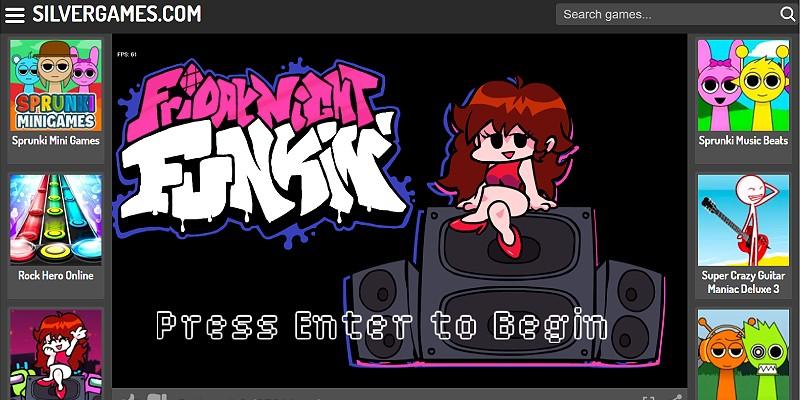
Friday Night Funkin' started as a 2020 game jam entry from ninjamuffin99 and a small team and grew into one of the biggest browser hits of the decade. You play as Boyfriend, who has to win rap battles against Girlfriend's father, Daddy Dearest, and a run of other rivals by hitting the arrow keys in time with the notes. It plays like a dance mat game on a keyboard, and the soundtrack is what most players remember.
Best Browser Games by Situation
Situation | Best Pick |
|---|---|
Two minutes to kill | Drift Boss |
Testing your reflexes | Geometry Dash |
Quiet, focused thinking | Bloxorz |
A quick number fix | 2048 |
Lunch-break strategy | Bloons Tower Defense 4 |
Something to leave running | Cookie Clicker |
Competing with strangers online | Shell Shockers |
Battling friends | Smash Karts |
A slow, thoughtful game | Chess Online |
What Browser Games Do Well and Where They Fall Short
Web browser games run inside the page you're on, so a modern browser is the only thing you need. Most are built on HTML5 and WebGL, the web technologies that took over after Adobe ended support for Flash Player at the end of 2020. That's why they load in seconds, run on Chromebooks and school laptops that can't install games, and work across desktops, phones and tablets.
They have limits, too. Big 3D worlds take a long time to load in a tab, so the best browser games stick to simple, punchy loops. Progress usually saves in your browser's storage, which means it stays on that device and browser, and clearing your site data can wipe it. If a game offers an account or cloud save, it's worth using for anything you plan to play long-term.
Frequently Asked Questions About the Best Browser Games
Browser games are simple to start, but a few questions come up again and again. These quick answers cover cost, hardware, phones, saving progress and safety.
Are Browser Games Free?
All 18 picks on this list are free browser games. Some, like Krunker and Smash Karts, sell optional cosmetics, but none of them lock the core game behind a payment.
Do I Need a Powerful Computer to Play Browser Games?
No. Most browser games are 2D or use simple 3D, so they run well on older laptops and Chromebooks. Heavier 3D shooters such as Krunker run best with hardware acceleration switched on in your browser settings.
Can You Play Browser Games on a Phone?
Many of them, yes. Games built around touch or mouse input, such as Slither.io, Paper.io 2, 2048, Drift Boss and Cookie Clicker, work well on phones and tablets. Keyboard-heavy shooters like Shell Shockers and Krunker are much better on a computer.
Do Browser Games Save Your Progress?
Usually, but only in the browser you played in. Clearing cookies or site data, switching browsers or changing devices can reset your progress unless the game has its own account or cloud save.
Are Browser Games Safe to Play?
Games that run entirely in your browser are generally safe because they don't install anything on your device. Stick to well-known sites, keep your browser up to date and close any page that asks you to download an installer or extension to play.
Which Tab to Open First
If you only try one, make it Geometry Dash for reflexes or Bloons Tower Defense 4 if you'd rather think than twitch. Pick Drift Boss when you have two minutes and a single thumb, Shell Shockers or Krunker when you want real opponents, and Smash Karts when friends are around. For something slower, a game of chess or a few rounds of 2048 works well.


